Notes for just you
Private notes.
Zero internet.
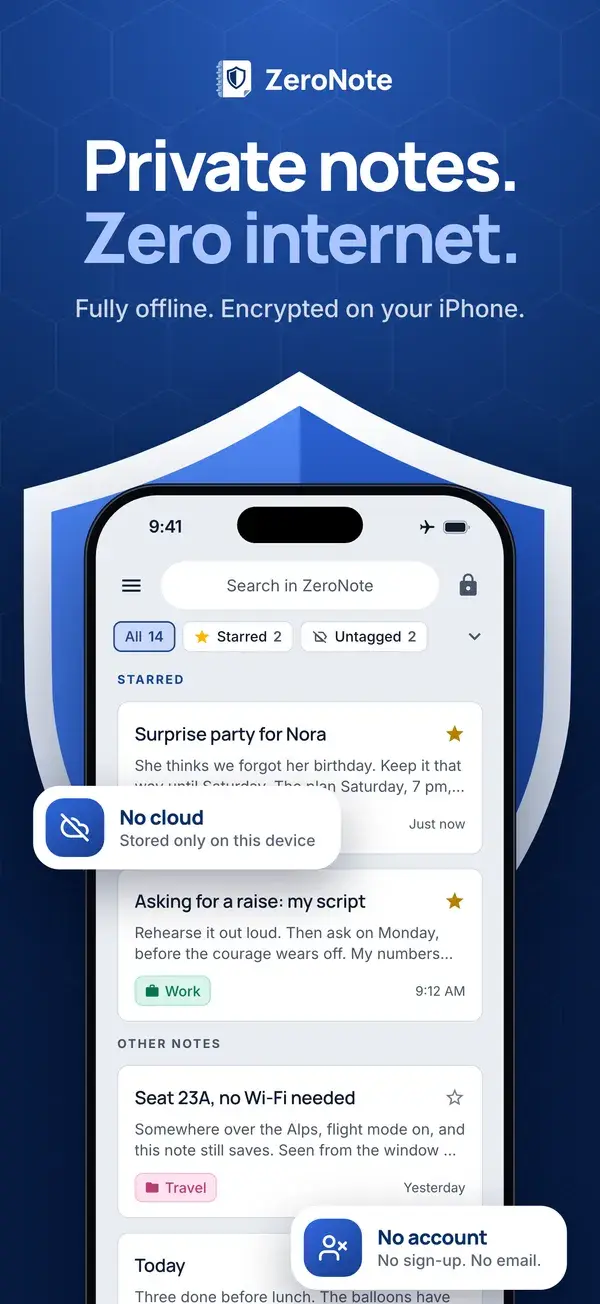
An encrypted notebook that lives only on your device and never goes online. Write what you’d never type anywhere else.
- No cloud
- No account
- No tracking

Pay once. No subscription, no in-app purchases.
STARRED
OTHER NOTES
Weekend hike checklist
Trail maps downloaded
Water filter
Headlamp + spare batteries
First-aid kit
ZeroNote
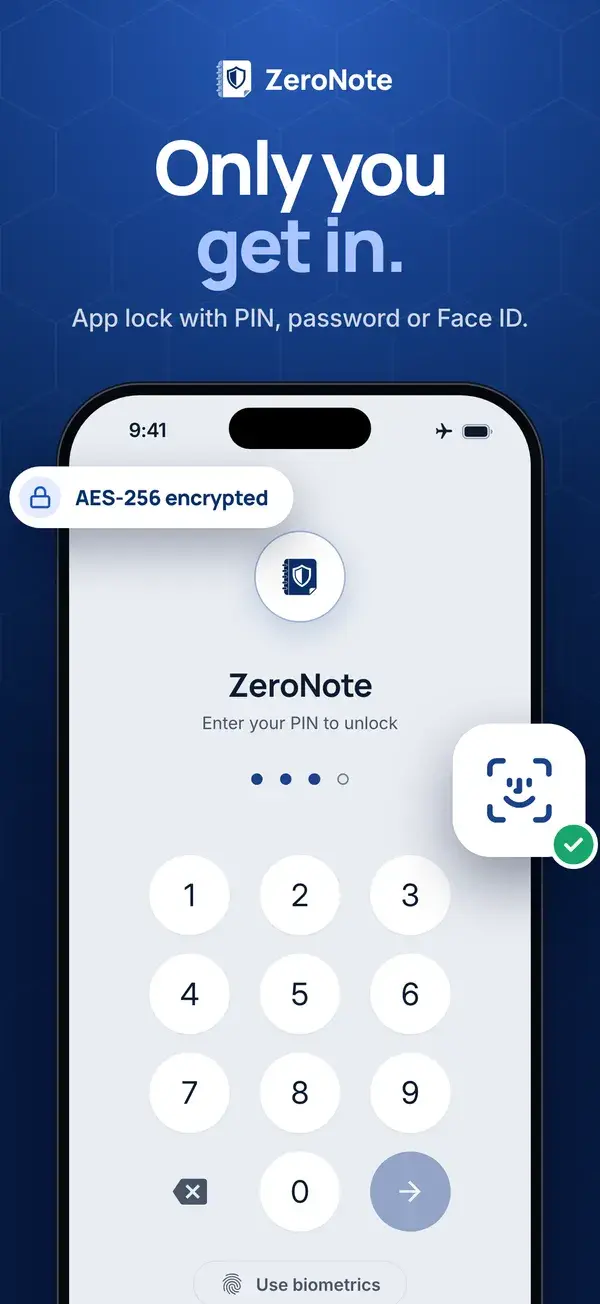
Enter your PIN to unlock
Try it: tap a note, the filters or the lock.
The Zero Promise
Some thoughts aren’t meant for the cloud. That’s why ZeroNote is built on five zeros.
Zero cloud
Your notes stay on your device. No sync, no backup copy, nothing in anyone’s cloud.
Zero internet
ZeroNote never connects, on any device. Nothing goes out, and nothing comes in.
Zero accounts
No email, no sign-up, no profile. Open it and write.
Zero tracking
No analytics, no ads, no trackers, no third-party services.
Zero access for us
We can’t read your notes, recover them or hand them over. We never have them.
Features
Simple, and only yours
Everything you need to write. Nothing that reaches out.
- AES-256SQLCipher 4
AES-256 encryption, always on
Every note is encrypted the moment you write it, lock or no lock. The key stays in your device’s secure key storage and never leaves it.
Locked with your PIN or password
Open it with a glance or a touch, using Face ID or your fingerprint. Leave the app, and it locks itself again.
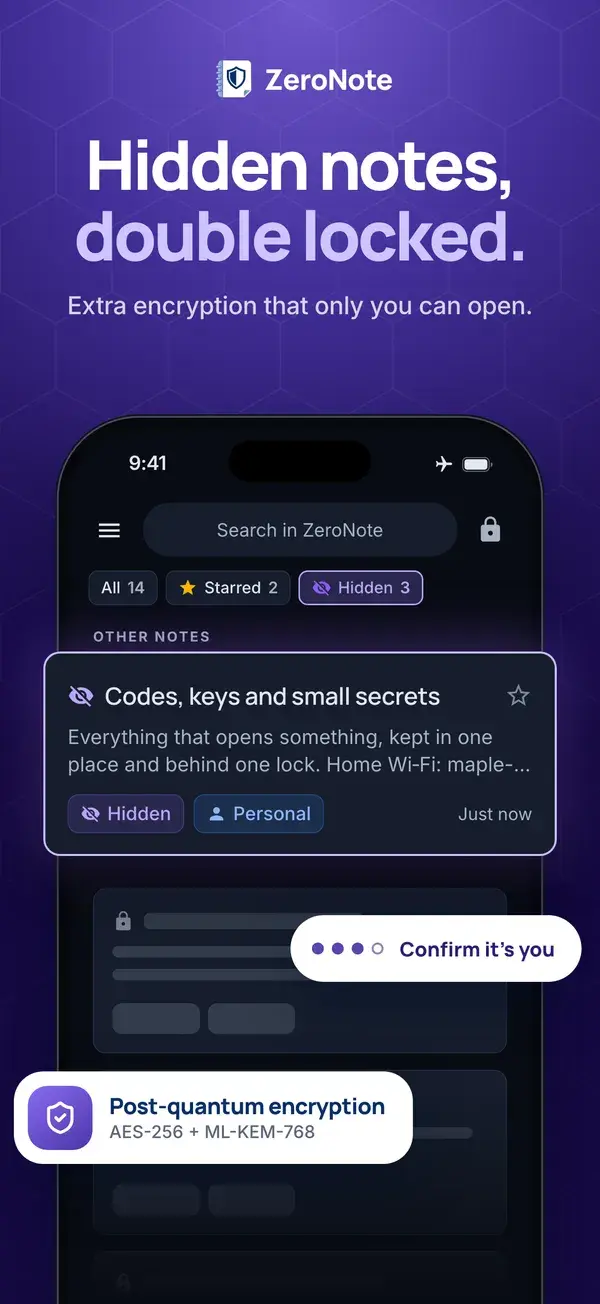
- Private reflectionsHiddenAES-256
+ ML-KEM-768Hidden notes, double locked
Hide a note and it disappears from your list and your search. A second layer of encryption, post-quantum included, opens only when you confirm it’s you.
Sealed off from the internet
ZeroNote never connects, not even in the background. Your notes never reach a server, so no one can read them there: not us, not Apple, not Google. In Airplane Mode, it works exactly the same.
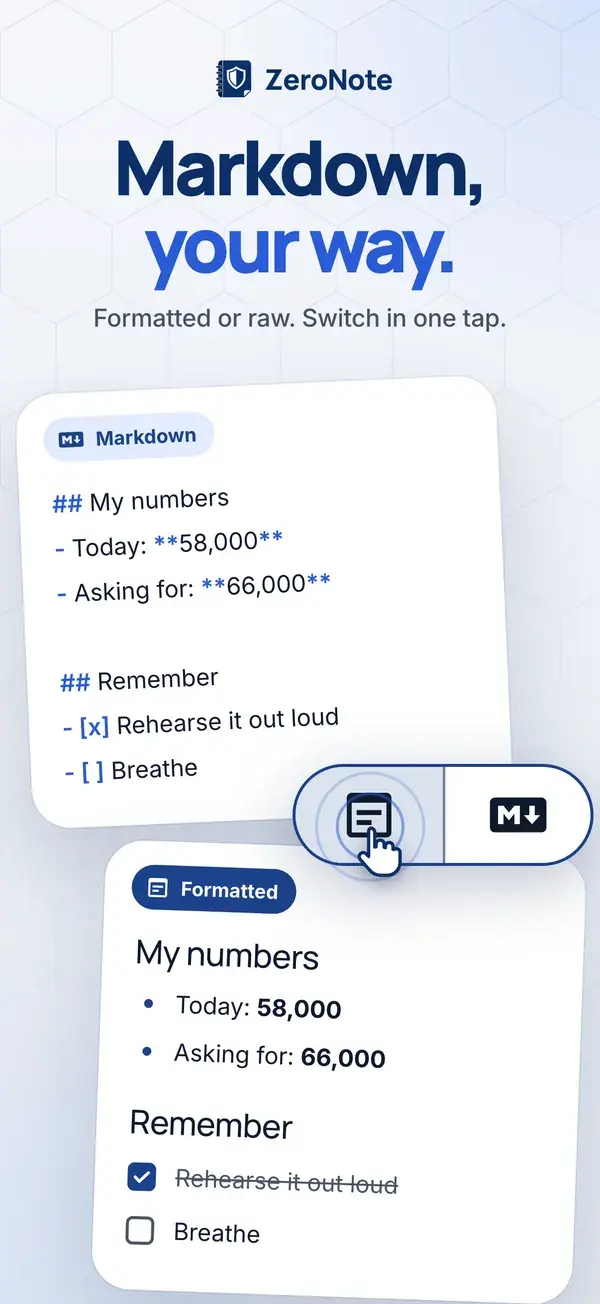
Format in one tap
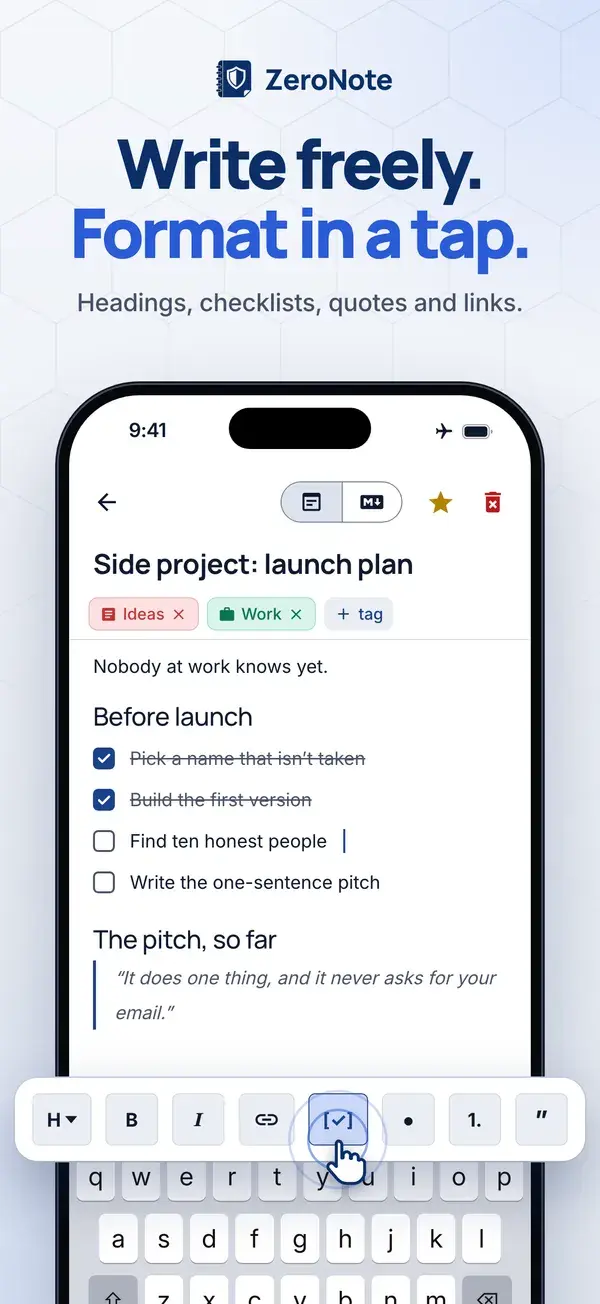
Headings, checklists, quotes and links from the toolbar, with nothing to learn. Prefer Markdown? Switch to it anytime.
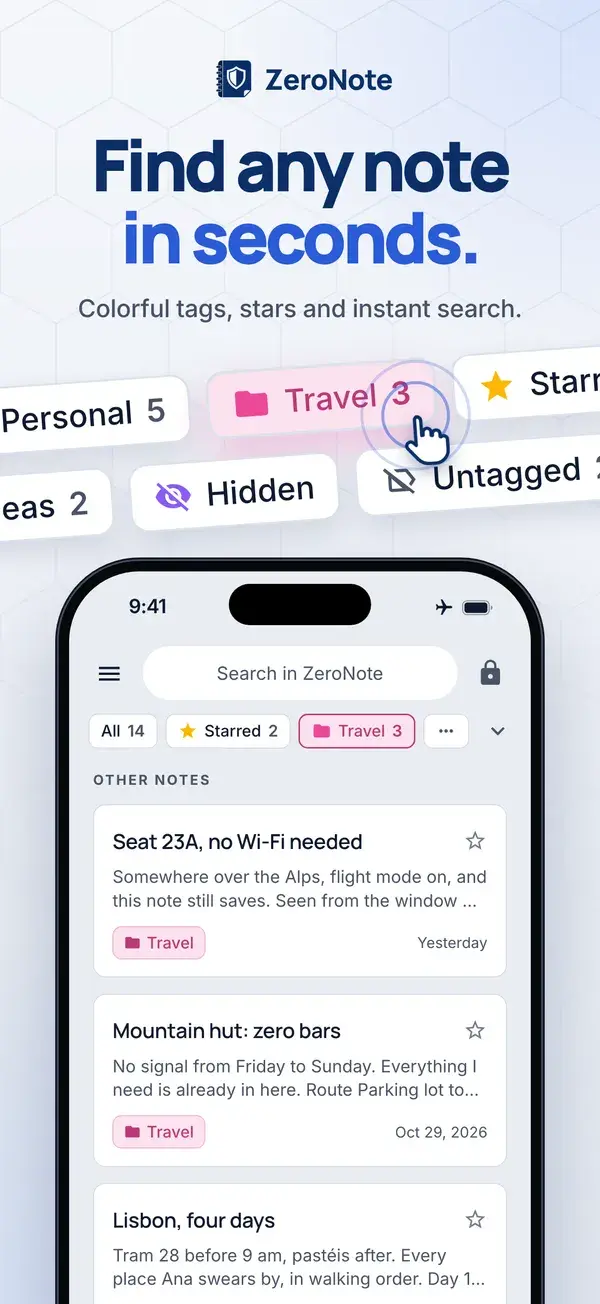
Tags, stars and search
Color your notes with tags, star the ones that matter, and find anything in seconds. Search runs on your device too.
Privacy
Don’t trust. Verify.
Privacy promises are easy to make. Here’s how to check ours, without taking our word for anything.
Switch on Airplane Mode
ZeroNote works exactly the same. It never needed the internet in the first place.
Check the permissions
On Android, internet access isn’t even among ZeroNote’s permissions: look on Google Play. iPhone and iPad have no such list, and there the app has no code that goes online either.
Read the store labels
App Privacy on the App Store and Data safety on Google Play both say: no data collected. We declare them under Apple’s and Google’s rules, and stand behind every word.
Nothing out there to find
Your notes never reach a server or a cloud backup: not ours, not Apple’s, not Google’s. There’s nothing anyone could read, leak or hand over.
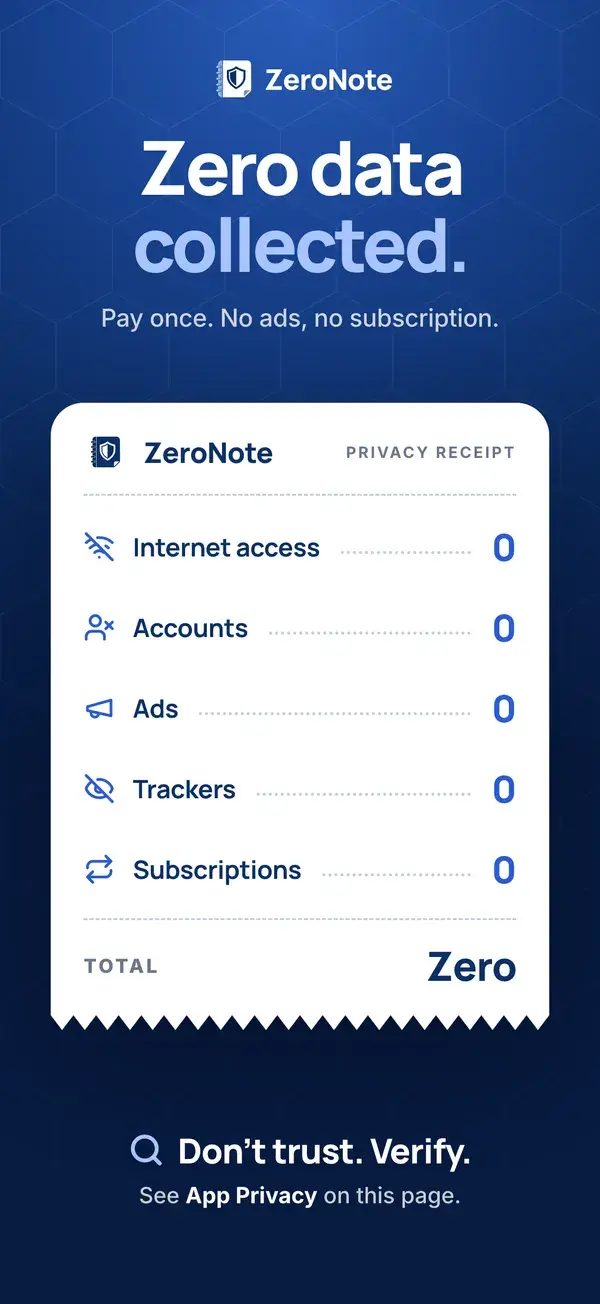
ZeroNotePrivacy receipt- Internet access
- 0
- Accounts
- 0
- Ads
- 0
- Trackers
- 0
- Subscriptions
- 0
See it on your phone
Real ZeroNote screens, in your language.
One-time purchase · No subscription
Why pay for a notes app?
Free apps pay their bills with your data. ZeroNote costs a one-time price, so it answers to only one person: you.
Pay once, yours to keep
One price on the App Store or Google Play, and ZeroNote is yours. No subscription, no in-app purchases, nothing to renew.
No ads, no trackers
Nothing in ZeroNote is there to watch you or to sell your attention.
No data to sell
No account and no internet access: we have nothing about you.
Family Sharing
On the App Store, up to six family members can share one purchase. Apple handles it, so ZeroNote never knows who’s in your family.
FAQ
Questions, answered
The short version. The help center has more.
More questions? Visit the help center
Does ZeroNote need an internet connection?
No. ZeroNote never connects to the internet, on iPhone, iPad or Android. There’s no sync and no server, and it works the same in Airplane Mode. On Android you can even check it: internet access isn’t in the app’s permissions.
Can you read my notes?
No. Your notes are encrypted on your device, and we never receive a copy, so we can’t read, recover or hand them over to anyone. How ZeroNote keeps your notes private
Do I have to use a lock?
No. The lock is optional, and your notes are encrypted either way. Turn it on when you first open ZeroNote, or later in Settings. More about the lock
How do I hide a note?
Add the Hidden tag to it. The note leaves your list and your search, and your PIN or password adds a second layer of encryption. To see hidden notes, tap Hidden on the home screen and confirm it’s you. More about hidden notes
What happens if I forget my PIN or password?
Because nothing is stored anywhere else, a forgotten PIN or password can’t be reset. Not by us, not by anyone. That’s the point, so choose one you’ll remember.
Are my notes backed up or synced?
No. There’s no sync, and your notes are left out of iCloud, Google and device backups. They exist only on the device where you wrote them.
Why is ZeroNote paid?
Free apps pay their bills with your data. ZeroNote costs a one-time price, with no subscription, no ads and no in-app purchases, so it answers to only one person: you. More about the purchase
Is there a subscription?
No. You pay once, on the App Store or Google Play, and there are no in-app purchases.
Which devices does it run on?
iPhone and iPad with iOS or iPadOS 26.0 or later, and Android phones with Android 8.0 or later, through Google Play.
 ZeroNote
Your thoughts, locked in. Everyone else, locked out.
Get ZeroNote for iPhone, iPad and Android. Pay once and keep your notes to yourself.
Scan to get ZeroNote